
Authentication and Authorization
From wax seals to OAuth: how backends verify who a user is and control what they can do, using sessions, JWTs, API keys, OAuth/OIDC, and RBAC.
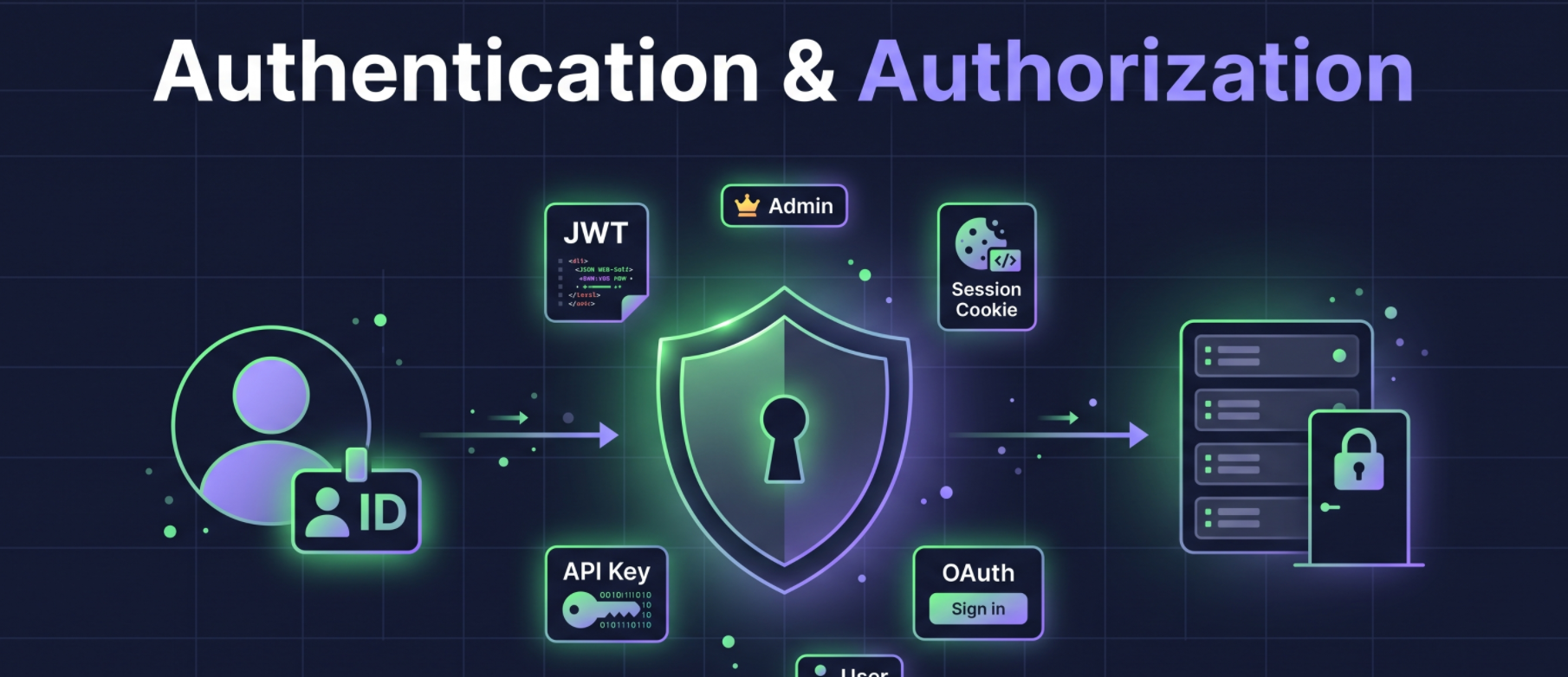
Authentication (AuthN) is mechanism to assign a user identity to a request and solve the problem of "who is the user?" in a given context (platform, OS, phone).
On the other hand, Authorization (AuthZ) is mechanism to decide whether a user is allowed to perform a given action and solve the problem of "what can a user do?" in a given context (capabilities, permissions).
Historical Context
In Pre-industrial societies, authentication was implicit and based on human trust i.e. a respected person (e.g., a village elder) vouched for someone, and deals were sealed with a handshake. This could not scale beyond a village.
Medieval period (seals):
Wax seals acted as early authentication tokens and signatures, based on "something you have" (possession).
Later those seals were forged by attacker, which was the first recorded authentication bypass attack with malicious intent.
This led to watermarks and encrypted codes in trade documents, which set the foundation for cryptographic thinking.
Industrial Revolution (passphrases):
Telegraph operators used pre-agreed passphrases, an early form of shared secrets and static passwords.
The principle shifted from "something you have" to "something you know".
Mainframes (mid-20th century):
In 1961, MIT's Project MAC (CTSS) introduced passwords for multi-user systems.
Passwords were stored in plain text, and the password file was printed by attackers and that started the philosophy of secure password storage which created need of Hashing which was an algorithm turns plain text into a fixed-length, irreversible string, and the same input always gives the same output.
Authentication began aligning with confidentiality, integrity, and availability.
1970s:
Diffie–Hellman key exchange introduced asymmetric cryptography, which lets two parties establish a shared secret over an untrusted medium.
Asymmetric cryptography is the backbone of modern authentication protocols (PKI, public key infrastructure).
Kerberos introduced ticket-based authentication using a trusted third party, a precursor to token-based authentication.
1990s:
Username/password alone was too weak against brute-force and dictionary attacks.
Biometric authentication (something you are) is more advanced than secret-based (something you know) or possession-based (something you have) methods. It uses pattern recognition algorithms and statistical models to identify users by unique physical traits. It is still not a complete solution, because it introduces challenges: false positives, false negatives, and template security (i.e., securing the stored biometric data used for matching).
That is why Multi-Factor Authentication (MFA) combines something you know (password, PIN), something you have (smart card, OTP generator), and something you are (biometrics), creating a stronger authentication system.
21st century:
- Cloud computing, mobile devices, and API-based architectures demanded more advanced frameworks: OAuth 2.0, JWTs, zero trust architecture, and password-less authentication (WebAuthn, using public/private keys stored in hardware devices).
Future candidates:
Decentralized identity (e.g., blockchain-based), still experimental.
Behavioral biometrics.
Post-quantum cryptography: quantum computers are expected to break current algorithms like RSA, so post-quantum algorithms are being developed.
Three Core Components
1. Sessions
HTTP is stateless: each request is isolated and carries all the information the server needs. This was fine for the static early web.
Dynamic sites (e-commerce carts, staying logged in) needed stateful interactions, so sessions were introduced to give the server temporary memory about a user.
How it works:
Creation: On login, the server creates a unique session ID and stores it with the user data (role, cart items, etc.) in a persistent store (database or Redis).
Delivery: The session ID is sent to the browser as a cookie, and every later request includes it. The server uses it to look up the user data.
Expiry: Sessions are short-lived. After expiry, a new session is created.
Storage evolution: file-based, then database-backed (faster lookups, survives restarts), then distributed in-memory stores (Redis, Memcached), which are faster than DB lookups.
2. JWTs (JSON Web Tokens)
Why they emerged: By the mid-2000s, stateful sessions caused two problems:
Memory: Storing session data for millions of users is costly.
Replication: Synchronizing sessions across servers in different regions adds latency and consistency problems.
JWTs were formalized in 2015. They are a stateless way to transfer claims between parties. Each token is self-contained and Base64-encoded.
Structure (three parts):
Header: metadata such as the signing algorithm and type of authentication.
Payload: user data. Common fields are
sub(user ID),iat(issued at), and optional fields likenameandrole.Signature: a secret key to that can verify the token wasn't tampered with. If the token is modified, verification fails.
Advantages:
Statelessness: no server-side storage.
Scalability: in microservice and distributed setups, any server with the shared secret key can verify the token.
Portability: lightweight and URL-friendly. It can be stored in cookies or local storage (not recommended) or sent in URLs.
Disadvantages:
Token theft: Anyone holding the JWT can impersonate the user. It can't be invalidated before expiry unless the server changes its secret, which logs out every user.
Revocation: The server can't track or revoke a specific JWT until it expires.
Hybrid approach: Keep a blacklist of JWTs in persistent storage (DB/Redis) to block or revoke specific users.
- Criticism: if you do a storage lookup anyway, the stateless benefit is lost, so why not use stateful authentication, which is considered more secure?
Advice:
For medium to large production systems, use an external auth provider (Auth0, Clerk, etc.) so they handle the security details (hashing, salting, algorithms).
If you're learning backend engineering, implement your own to understand the trade-offs.
3. Cookies
A cookie is a way for the server to store a piece of information (any string) in the user's browser.
A cookie set by one server is sent back automatically with every subsequent request to that same server. A server can't see another server's cookies.
In authentication: after a successful login, the server sets a cookie containing a session ID or JWT. The browser sends it automatically with later requests, and the server validates it, identifies the user, and authorizes them.
Types of Authentication
1. Stateful Authentication
Most applications should go with stateful authentication as its reliable.
Flow:
The client sends username/password.
The server validates them and generates a session ID.
The server stores the session ID plus user data in Redis (preferred for fast access) or a DB.
The server sends the session ID back in an HTTP-only cookie, which JavaScript cannot access.
Later requests carry the cookie. The server checks the session ID's existence, expiry, and user data in the store.
Pros:
Centralized control and real-time visibility of active sessions.
Easy to revoke sessions or log out users.
Suited to apps with strict session requirements.
Cons:
Limited scalability.
Higher operational complexity and latency in distributed, multi-region systems.
2. Stateless Authentication
Flow:
The client sends credentials.
The server validates them and generates a JWT signed with its secret key. The JWT contains user ID, role, etc.
The server returns the JWT to the client.
The client sends it in the
Authorizationheader on later requests.The server verifies the signature with the secret key. If valid, the request proceeds. Otherwise the server returns an error such as
401 Unauthorized.
It is "stateless" because all required user information lives in the token, with no storage lookup.
Pros:
Scalability and no session-store dependency.
Ideal for distributed architectures and mobile apps, where cookies are not a factor.
Cons:
- Revocation is complex. A compromised account can't be revoked before expiry except by changing the secret key, which logs out all users.
Hybrid Approach : Use stateful authentication for browser web apps, and stateless for mobile apps and third-party/server integrations.
3. API Key Authentication
A user generates a cryptographically random string in a platform's UI and uses it to access the platform's servers programmatically, with specific permissions and an expiry, instead of using the UI.
Example: OpenAI's API keys allow programmatic access to models without the ChatGPT UI.
Advantages:
Easy to generate.
Ideal for machine-to-machine communication. There is no login form or human interaction. The machine stores the key (e.g., in an environment variable) and sends it with each request.
Developer-side flow for API key integration
The developer logs in to the platform's UI (dashboard) and generates an API key, selecting its name, scopes, and expiry.
The platform shows the plain key once, and the developer copies it.
The developer saves it in an environment variable or secrets manager on their server, never in source code or the repository.
The developer finds the API's base URL, endpoints, and authentication header format in the docs.
The developer's backend sends requests over HTTPS with the key in a header, e.g.
Authorization: Bearer <key>orX-API-Key: <key>.The platform hashes the received key, matches it against its stored hash, and checks scopes, rate limits, and quotas.
The developer's code processes
200responses and handles errors such as401,403, and429(with retry or backoff).The developer tracks usage and logs in the dashboard.
The developer generates a new key, updates the server's secret, then revokes the old key, or revokes immediately if it was leaked.
- The server identifies the account, plan, remaining quota, and access from the key.
4. OAuth 2.0 / OpenID Connect (OIDC)
Problems that led to OAuth
With every website having password based access, user tends reuse password across platforms meant one breach compromised many accounts which let to too many credentials to manage and changing them individually after security failure
Also websites or platform may need access to another platform's resources (e.g., a travel app scanning Gmail for tickets, or a social app importing contacts) and to delegate this data user needed to share its password to other website.
With solution in which sharing passwords gave full access, offered no permission limits, and could only be revoked by changing the password everywhere.
To solve the open authorization (OAuth) was implemented which shares tokens with specific permissions instead of passwords.
OAuth 1.0 (2007)
Components:
Resource owner: the user who owns the data.
Client: the app requesting access (e.g., Facebook).
Resource server: the server holding the data (e.g., Google).
Authorization server: the server that authenticates the user and issues tokens.
Flow:
The client requests a temporary request token from the server, signing the request with its consumer secret.
The client redirects the user to the authorization server with the request token.
The user authenticates and grants permissions, and the server redirects back to the client with a verifier.
The client exchanges the authorized request token and verifier for an access token.
The client uses the access token to access resources, signing every request with its consumer secret and token secret (e.g., HMAC-SHA1).
OAuth 1.0 limitations: complex for developers, and its cryptographic signatures were error-prone.
OAuth 2.0 (~2010)
Improvements over OAuth 1.0:
Introduced bearer tokens, which are simpler but more vulnerable.
A bearer token is an access credential, typically a string issued by an authorization server, that grants access to a protected resource to whoever holds ("bears") it, without requiring any further proof of identity, and it is usually sent in the HTTP header as
Authorization: Bearer <token>.OAuth 2.0 authorization flow:
The client app redirects the user to the authorization server, requesting specific scopes.
The user logs in and grants consent and select what permission to grant.
The authorization server redirects back to the client with a short-lived authorization code.
The client exchanges the code (plus its client credentials, or a PKCE verifier) at the token endpoint for an access token, and optionally a refresh token.
The client calls the resource server with the access token in the
Authorization: Bearer <token>header.The resource server validates the token and returns the protected data.
Added different flows depending on app type:
Authorization code flow: server-side apps.
Implicit flow: browser-based apps (now discouraged for security reasons).
Client credentials flow: machine-to-machine communication.
Device code flow: devices with limited input, such as smart TVs.
OAuth 2.0 solves authorization (delegation), but not authentication.
OpenID Connect (OIDC, ~2014)
It is built on top of OAuth 2.0 to fill the authentication gap.
It adds an ID token, typically a JWT, containing user ID, issued-at time, issuing authority, name, email, etc.
It powers "Sign in with Google/Facebook/Discord".
Flow:
The client redirects the user to the authorization server with an authentication request that includes the
openidscope.The user authenticates and grants consent.
The authorization server redirects back to the client with an authorization code.
The client exchanges the code for an ID token (a JWT containing user identity claims) and an access token.
The client validates the ID token and, if needed, uses the access token to call the UserInfo endpoint or access resources.
OAuth 2.0 and OIDC ensure no user or platform gets more access than it was granted.
When to Use Which
| Type | Use case |
|---|---|
| Stateful | Web app authentication; apps storing user session data on the server |
| Stateless | APIs and scalable, distributed systems where tokens carry user data |
| OAuth/OIDC | Third-party integrations and login via external providers |
| API key | Server-to-server / machine-to-machine; single-purpose client access to APIs |
note: when building APIs, you will mostly use stateful and stateless authentication.
Authorization
Why It's Needed
Authenticated users should not all have the same capabilities.
Example: In a note-taking app, an admin wants special access to permanently deleted ("dead zone") notes.
Naive solution: Send a special secret string with API requests to identify the creator. This is insecure, because an intercepted string gives full access. It is also hard to extend to other trusted users and hard to manage.
Authorization means giving specific permissions to specific users. It also matters in multi-tenant systems where org admins assign different permissions (e.g., read vs. read/write) to members.
RBAC (Role-Based Access Control)
Users are assigned roles (e.g., user, admin, moderator), and each role has a set of permissions on resources. Custom roles and granular permissions are possible.
Workflow:
The user signs up and the server assigns a role.
On later requests, the user sends a token (session ID or JWT).
The server deduces the role from the token or a DB lookup.
The role is determined early in the request cycle and passed to later middleware and logic.
If the role lacks the permission, the server returns
403 Forbidden.
Backend Security Practices
1. Use Generic Error Messages in Authentication
Specific messages like "user not found" or "incorrect password" help attackers. They reveal whether a username exists or is correct, which narrows the attack to brute-forcing or dictionary attacks on the password.
Always return a generic message such as "authentication failed" for all authentication failures.
User-friendly specific errors are fine in other workflows (e.g., validation).
2. Defend Against Timing Attacks
Typical login steps:
Find the user.
Check whether the account is locked.
Compare the provided password with the stored hash.
The problem:
An invalid username fails at step 1 and returns quickly.
A valid username with a wrong password fails at step 3, after the slower password hashing, so it returns slightly later.
Attackers can use this timing difference to learn whether the username was valid.
Defenses:
Use constant-time comparison functions for password hashes, so execution time doesn't vary with input similarity.
Simulate a delay (e.g.,
setTimeoutin Node,time.Sleepin Go) so a username-not-found response takes about as long as a password failure.
About the author
- My journey started as a Computer Engineering student with a deep curiosity about how software systems are built from the ground up. During college, I dove into web development, databases, and machine learning — shaping a strong foundation in problem-solving and software engineering. I graduated with a Grade A+ and went on to publish research on a KNN-based recommendation system I built as part of my final-year project. After college, I started out building UI dashboards integrated with Microsoft Dynamics 365, improving data visualization by 40% and cutting decision-making time by 25%. I then grew into a Full Stack role — developing a payment gateway serving 66 million users with 125,000 daily transactions, and a real-time analytics dashboard powered by Apache Kafka and Pinot that reduced query latency by 76%. Outside of work, I enjoy building personal projects — from a neighbourhood e-commerce platform to a URL shortener and a video streaming service. I'm driven by clean architecture, real-world performance, and the satisfaction of shipping systems that actually work under pressure.
Comments
Join the discussionNo comments yet. Be the first to comment.
First Principles of Backend Engineering
An in-depth article series deconstructing the core mechanics of backend systems. Moving beyond frameworks and trendy tools, this series explores the fundamental building blocks of the web—from network protocols and reverse proxies to database architecture and server security—helping you understand exactly how and why scalable systems work from the ground up.