
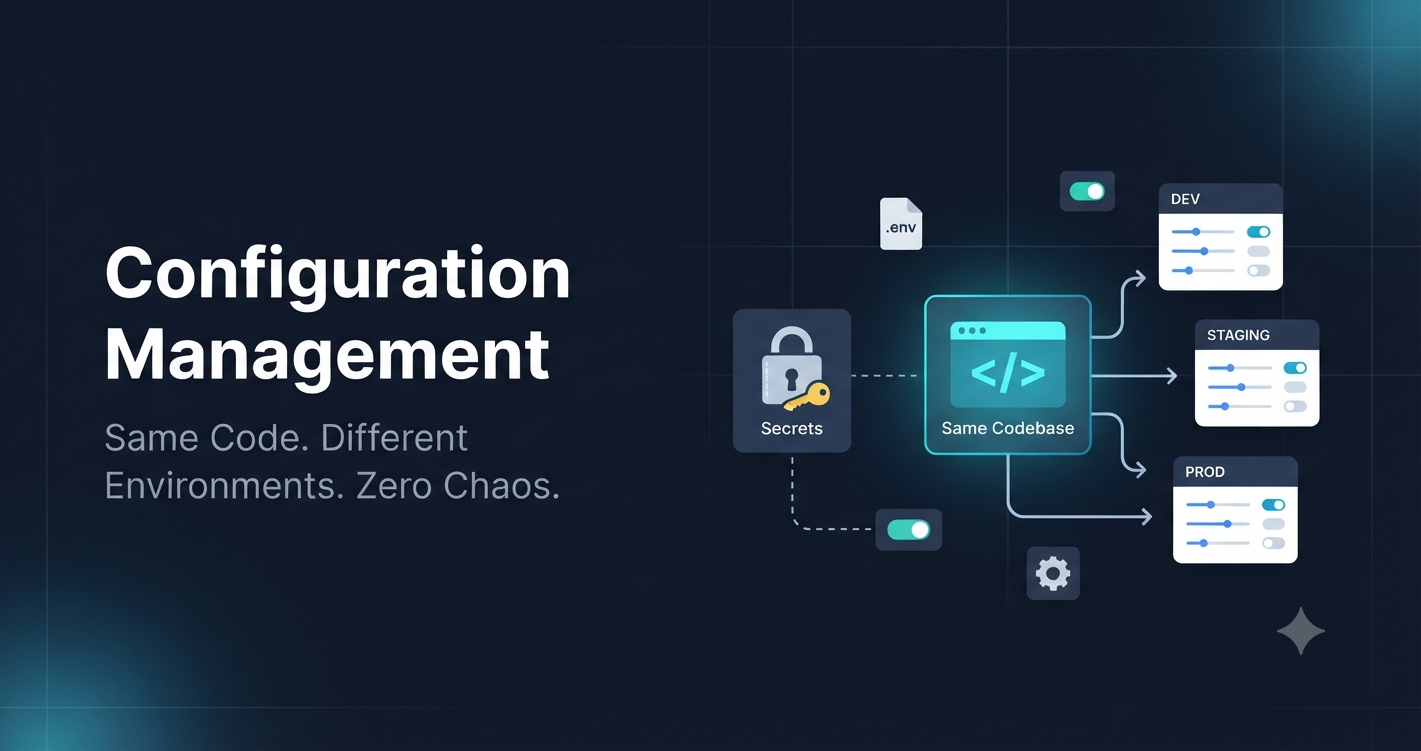
What is Configuration Management?
- Configuration management is the systematic process of managing and controlling the configuration or settings of a system or application.
- Configuration values change the behavior of the application without changing the application code, like:
- If in the DEV environment, the application uses a local test database instead of a remote production database.
- A feature is only available to users in the US region or specific devices
- If a feature flag is turned on, the application shows the new checkout flow instead of the old one.
- Configuration is not limited to API keys, database connection strings, credentials for external services, or secrets for encryption, but it can also include how an application starts, how and where it logs, how it connects to databases and external services, how it behaves in different environments, which features are enabled or disabled, and how it can be used or accessed. Overall, configuration decides how the application behaves and how it is used.
- For example, an e-commerce application:
- It can have different configurations for different environments such as production, staging, and development.
- It can enable or disable features for users in different regions.
- It can define business rules based on the user's age, such as coupons, discounts, offers, and promotional offers based on demographics.
- In modern software development and deployment, applications are distributed across multiple servers and data centers, and they provide and consume different services and APIs. All of these interactions are controlled by configuration and optimized for the performance and availability of the application, and errors and failures are handled differently depending on the environment, configuration, and preferences of the user and system.
- Due to these reasons, configuration management becomes an important and integral part of application development and deployment.
Configuration Chaos
- When configuration
- is not managed by environment variables and is instead scattered across the codebase
- causes the application to behave unexpectedly in different environments of the same codebase
- has security vulnerabilities, or is exposed and contains secrets and keys
- Any one of the above can lead to configuration chaos, which can be a security risk, cause system malfunction, cause data integrity or data loss issues, or lead to complete system failure, all of which are hard to debug and fix.
- Backend system with such chaotic configurations are not scalable, hard to maintain & upgrade, and are prone to security vulnerabilities. Also the business logic and data are exposed with such configurations.
Configuration vs Secrets
- Configuration is non-sensitive settings (ports, log levels, feature flags) where as Secrets are sensitive values (passwords, API keys, tokens) and they need need stricter storage, access control, and rotation.
Types of Configurations
Application Configuration
- Configuration that is specific to the application and its environment.
- It includes things like:
- Database connection details, like host, port, username, password, and database name, as well as connection pooling, connection timeouts, and connection retries.
- API details, like base URL, authentication credentials, API keys, backoff limit, and timeouts.
- Secrets and keys, like encryption keys, JWT secrets, and other sensitive information.
- Logging configuration, like log levels, log formats, and log destinations.
- Feature flags and toggles to enable or disable certain features.
Database Configuration
- Configuration for database servers, including:
- Host, port, username, password, database name, connection pooling, connection timeouts, and connection retries
- Database users and permissions for different roles and access levels
- CORS settings for accessing the database from external services
External Service Configuration
- Configuration for external services like payment gateways, email providers, and APIs.
- It includes things like:
- Base URLs, authentication credentials, API keys, and other sensitive information.
- API endpoints, request headers, and request parameters.
- Preferences for different regions, languages, and currencies.
- Retry settings, timeouts, and backoff limits.
Feature Flags and Toggles Configurations
- Feature flags and toggles are used to enable or disable certain features or functionalities in the application based on application preferences like user roles, environment, or location.
- They can use boolean or string values to represent the state of a feature or toggle.
Infrastructure Configurations
- Infrastructure configurations are the settings that are specific to the infrastructure and the environment where the application is deployed.
- They include things like:
- Servers, virtual machines, containers, and cloud providers.
- Network configurations, such as IP addresses, subnets, and routing.
- Monitoring and logging configurations, such as log formats, log levels, and log destinations.
- Load balancers and auto-scaling configurations.
Security Configurations
- Security configurations are the settings that are specific to the security and compliance of the application.
- They include things like:
- Authentication and authorization configurations, such as user roles, permissions, and access controls.
- Encryption and decryption keys, secrets, and certificates.
- Security policies and rules, such as firewalls, intrusion detection systems, and access control lists.
- Audit and logging configurations, such as log formats, log levels, and log destinations.
Performance and Resource Tuning Configurations
- Performance and resource tuning configurations are the settings that are specific to the performance and resources of the application.
- They include things like:
- Database configurations and external service configurations.
- Caching and caching strategies.
- Hardware and software configurations that allow or restrict the use of certain resources, which can affect performance.
Dynamic Configuration
- Some configuration can be reloaded without restarting the application (like feature flags), while other changes need a restart or redeploy.
- It can implemented with a configuration reloader like a ConfigMap reload sidecar or a tool like Reloader, or a process manager like PM2.
Configuration Precedence : When a setting is defined in more than one place, a fixed order decides which value wins, for example: defaults < config files < environment variables < CLI flags.
Storage of Configurations
Depending on the performance and security requirements of the application, configurations can be stored in different ways:
- Environment variables configurations:
- Configurations are stored as environment variables.
- They are key-value pairs written in:
- a
.envfile, which is loaded into the application at startup - injected into the application at startup / runtime through the CLI
- injected into the application at startup / runtime through an API request to a config manager service like AWS Secrets Manager, Azure Key Vault, Google Cloud Secret Manager, etc.
- a
- It is the most common way of storing configurations across different languages, libraries, and frameworks.
- File-based configurations:
- Configurations are stored in files like
.json,.yaml,.toml, etc., where YAML and the newer TOML are commonly used formats. - With each type of file the format changes, but the structure is the same, like:
- JSON uses key-value pairs in a tree-like structure (nested objects and arrays) and doesn't support comments.
- YAML uses key-value pairs in a hierarchical structure based on indentation and supports comments.
- TOML uses key-value pairs grouped into sections called tables (
[section]) and supports comments.
- To Handle Files Safely
- Add configuration files to
.gitignoreto avoid accidentally committing them. - Commit a
.extension.examplewith variable names and no real values.
- Add configuration files to
- Configurations are stored in files like
- Key-value stored or in-memory store configurations:
- Configurations are stored in a key-value store like Redis, Memcached, or ElastiCache, a cloud-native solution for in-memory data storage. They are lightweight and fast, but they are not designed for storing large amounts of data over a long period of time.
- Cloud-based configurations:
- Providers like AWS Secrets Manager, Azure Key Vault, Google Cloud Secret Manager, HashiCorp Vault, etc., are cloud-based key-value stores that provide a secure, scalable, and durable way to store and manage configurations.
When to use which type of configurations
- Systems with high traffic and high availability requirements, or in production or staging environments, use cloud-based configurations, as they are designed for high performance and high availability, and they are secure and scalable. The priority is reliable and secure access to configurations.
- Systems in development and testing use environment variables, as they are fast to access and easy to set and use. Also, they are relatively easy to manage and debug. The priority is fast access and modification of configurations.
- A hybrid approach is also possible, where the application first fetches configurations from a cloud-based config manager and then falls back to local options, such as files or an in-memory store, if they are not found. The priority is reliable and secure access to configurations with a fallback to local options.
Standards and Best Practices for Configuration Management
- Never hardcode secrets and keys in the codebase, as they can be easily discovered and used by attackers.
- A cloud secrets manager is recommended for storing secrets and keys, as it provides a secure and scalable way to store and manage them. Tools like Consul or etcd store configuration in one place, so all services read from the same source and changes are applied consistently.
- Never share configurations with other developers or teams unnecessarily, as it can lead to security vulnerabilities and data leaks. Also, decide who has access to the configurations and how they are managed. This can be done by giving each service and person only the access they need (least privilege), encrypting secrets at rest, and never logging configuration values in plain text.
- Set up routines to rotate and update secrets and keys regularly, as they can become compromised over time.
- Validate configurations at startup, as it can prevent errors and security vulnerabilities. Don't use default values or empty strings, as they can be seen in code and used by attackers. Load configuration through a schema that checks types and required values at startup, and fail fast with a clear error if a value is missing or invalid.
- Keep separate configurations for development, staging, and production. The same codebase should run in every environment, with only the configuration changing.
- Configuration drift: over time, environments become different from each other because of manual changes. Prevent it by managing configuration as code and automating deployments.
- Configuration Management and Security
- Treat configuration as code: track changes in version control, review them, maintain an audit trail, and support rollback.
- Add Configuration files containing secrets to
.gitignoreto prevent accidental commits. - Commit a
.extension.examplefile containing variable names and placeholder values, never real secrets. - Never commit secrets in plain text.
- Containers and orchestration:
- Docker: pass configuration through environment variables or env files at run time instead of baking it into the image.
- Kubernetes: use ConfigMaps for configuration and Secrets for sensitive values. Secrets are only base64-encoded by default, so enable encryption at rest or use an external secrets manager.
About the author
- My journey started as a Computer Engineering student with a deep curiosity about how software systems are built from the ground up. During college, I dove into web development, databases, and machine learning — shaping a strong foundation in problem-solving and software engineering. I graduated with a Grade A+ and went on to publish research on a KNN-based recommendation system I built as part of my final-year project. After college, I started out building UI dashboards integrated with Microsoft Dynamics 365, improving data visualization by 40% and cutting decision-making time by 25%. I then grew into a Full Stack role — developing a payment gateway serving 66 million users with 125,000 daily transactions, and a real-time analytics dashboard powered by Apache Kafka and Pinot that reduced query latency by 76%. Outside of work, I enjoy building personal projects — from a neighbourhood e-commerce platform to a URL shortener and a video streaming service. I'm driven by clean architecture, real-world performance, and the satisfaction of shipping systems that actually work under pressure.
Comments
Join the discussionNo comments yet. Be the first to comment.
First Principles of Backend Engineering
An in-depth article series deconstructing the core mechanics of backend systems. Moving beyond frameworks and trendy tools, this series explores the fundamental building blocks of the web—from network protocols and reverse proxies to database architecture and server security—helping you understand exactly how and why scalable systems work from the ground up.